Industry Mall Online User Guide
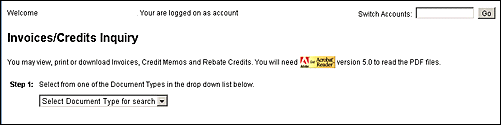
The Invoice/Credits link gives you access to your most current Invoices and Credit Memo. You may view, print and download these files. Clicking the Invoices/Credits link displays the Invoices/Credits Inquiry page.
For Step 1, click the Document Type drop-down list and select one of the following:
All
Credit Memos
Invoices
Rebate Credits
Once you've completed Step 1, then Step 2 becomes available. Four (4) steps must be completed. The steps are shown in the image represented below.

Enter the predefined date range and click Submit Search. Once the search results display, you have the option to download as a .pdf file or .html file. The .pdf files takes a snapshot of the document with formatting applied. The .html view is a snapshot of the data without all of the lines and sections graphically displayed. The .pdf file is best for printing.
Once you've clicked Submit Search, the Invoices/Credits Search Results page displays.
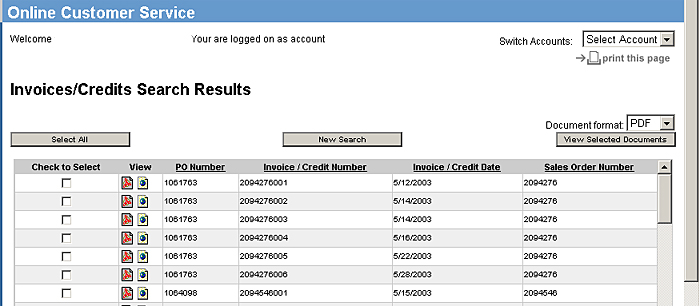
You can click the Select All, New Search, or View Selected Documents buttons. In the Document format drop-down box, selecting .pdf displays the selected document in a .pdf format.
In the Document format drop-down box, selecting .html displays the selected document in an .html format.